How to Tell If an Office Chair Is Truly Ergonomic

Time:2026-10-15 Author:Liam
0%

An office chair can look impressive and still leave your body tired by midafternoon. Polished mesh, thick padding, and a five-star base do not prove ergonomic quality. The real question is how to tell if an office chair is ergonomic when product pages use vague claims. A reliable assessment begins with fit, movement, and support rather than appearance. In my experience, a chair feels different after two focused hours, not two showroom minutes. Your feet should rest flat, your knees should stay near hip level, and the seat should support your thighs without pressing behind them. The backrest should follow your posture as you lean, while lumbar support should contact your lower back without forcing it forward.

Small adjustments matter. Very much.

Look for adjustable seat height, seat depth, armrests, recline tension, and back support. A good chair lets you change position instead of locking you into one “perfect” pose. Evidence-based ergonomic guidance generally favors neutral alignment, frequent movement, and a workstation adjusted to the user. Yet no checklist fits every body. A tall user may need deeper seating, while a shorter user may struggle with fixed armrests. I once assumed firmer padding meant better support; after a long editing session, my hips disagreed. That mistake is useful to remember. Comfort is not proof, and discomfort is not always a chair defect. Desk height, monitor position, and sitting habits can distort the verdict. Test the chair with your actual desk, keyboard, and daily tasks. If possible, use it for several days before deciding.
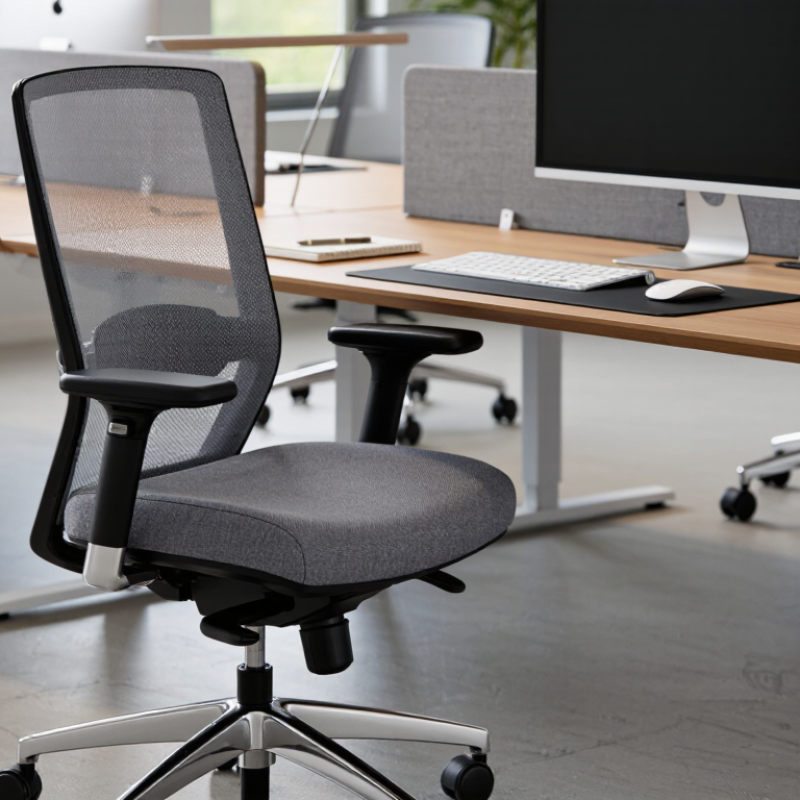
How to Tell If an Office Chair Is Truly Ergonomic

Define Ergonomics Using ANSI/HFES 100 and ISO 9241-5 Criteria

A truly ergonomic office chair is not defined by a thick cushion or dramatic lumbar support. ANSI/HFES 100-2007 evaluates the chair within a workstation, including seat height, seat depth, backrest support, armrests, and user clearances. ISO 9241-5 adds a broader principle: furniture should support varied postures during computer work, not force one “perfect” position. Neither standard certifies a chair by itself. That detail is often missed.

The U.S. Bureau of Labor Statistics recorded 275,590 private-industry cases involving musculoskeletal disorders and days away from work in 2023.

A chair cannot prevent every injury, but poor fit can increase pressure behind the knees, raise the shoulders, or leave the feet unsupported. In practical testing, sit with your back against the backrest. Your knees should remain near hip level, while two or three fingers fit behind the knee.

I once trusted a chair because its lumbar pad felt firm. After an hour, it pushed my lower back forward. Comfort alone can mislead.

Tips: Adjust the chair while wearing normal work shoes. Check the seat pan before judging the cushion. Move between upright and reclined positions. Keep your monitor and keyboard within easy reach. Ask for adjustment instructions, because an excellent chair can perform badly when incorrectly set. ISO 9241-5 supports posture variation, so do not treat one measured position as a permanent rule.

Measure Seat Height for Flat Feet and 90°–110° Knee Angles

A truly ergonomic office chair begins with measurement, not appearance. Set the seat height until both feet rest flat on the floor. Your thighs should feel supported without pressure behind the knees. The knee angle should stay between 90° and 110°, according to commonly used ergonomic guidance based on ANSI/HFES 100-2007. I used to raise my seat for a cleaner desk position. My toes then touched the floor, and my legs quietly carried the problem.

Check the angle with a phone photo from the side, or use a simple cardboard guide. Keep your knees slightly lower than your hips if that feels comfortable. Do not force an exact 90° position. Bodies vary, and a rigid target can create new pressure. A 2022 U.S. Bureau of Labor Statistics report recorded 1.18 million nonfatal workplace injuries involving days away from work. Musculoskeletal disorders represented 27% of these cases. The figure does not prove that chairs caused them, but it shows why small posture details deserve attention.

Measure after sitting for five minutes, not immediately after adjustment. Relax your shoulders and place your feet where they naturally land. If your heels lift, lower the seat. If your knees rise above your hips, raise it slightly or use a stable footrest. Seat depth can still interfere with comfort, even when the angle looks correct. That is the imperfect part. A useful measurement may need repeating during a real workday.

Check Seat Depth for 2–4 Fingers of Space Behind the Knees

How to Tell If an Office Chair Is Truly Ergonomic

Seat depth is easy to overlook, yet it strongly affects leg support and circulation. Sit fully back, with your feet flat and knees near a 90-degree angle. Slide two to four fingers behind each knee. That small space prevents the seat edge from pressing into blood vessels and nerves. Less space may create pressure. Much more space can leave your thighs unsupported.

2–4
fingers behind each knee

The World Health Organization reports that musculoskeletal conditions affect about 1.71 billion people worldwide. It also estimated 619 million people experienced low back pain in 2020. These figures do not prove that chairs cause pain. They show why daily workstation adjustments deserve careful attention. Occupational ergonomics guidance from OSHA also stresses supporting the thighs without touching the back of the knees.

Test the chair after thirty minutes, not just thirty seconds. Notice numbness, tingling, or a red mark behind your knees. If your feet lift, lower the seat or use a footrest. If your back cannot reach the backrest, the seat may be too deep. Finger width varies, so this rule is only a starting point. Your body remains the better measuring tool.

Test Lumbar Support and Recline Within the 90°–120° Hip Range

A truly ergonomic office chair should support movement, not force one “perfect” posture. OSHA’s Computer Workstations eTool recommends adjustable lumbar support and a backrest that follows the spine. Cornell University’s ergonomics guidance places the hip angle near 90°–120°, a practical range for testing recline. Sit with both feet flat and your knees slightly below your hips. At 90°, your pelvis should feel stable. At 120°, the backrest should open your hip angle without pushing your head forward.

Test the lumbar pad while reclining slowly. It should contact the inward curve above your belt line, not press sharply into your ribs. Hold each position for two minutes, then check your breathing, shoulder tension, and thigh pressure. The Bureau of Labor Statistics recorded 822,740 occupational musculoskeletal-disorder cases involving days away, restriction, or transfer in 2022, showing why small pressure points deserve attention. That figure does not prove a chair caused each case. It does show the scale of the problem.

I once assumed stronger lumbar support meant better support. I was wrong. Excess pressure can make a chair feel “correct” for five minutes, then become distracting. A useful chair lets you recline between 90° and 120° while keeping your screen visible and your lower back supported. Test it wearing normal work clothes. Bare showroom testing can mislead. Two minutes is not enough.

Verify Adjustability and Durability Against BIFMA X5.1 Testing Data

A truly ergonomic office chair should adjust to the person using it. Check seat height, seat depth, backrest angle, lumbar support, and armrest height. Each control should move smoothly and remain stable under pressure. A chair that adjusts only a few centimeters may look flexible but feel restrictive at a desk.

Durability requires stronger evidence than showroom impressions. Ask for testing data against ANSI/BIFMA X5.1, a standard covering general-purpose office chair strength, stability, and durability. Review the report carefully. It should identify the tested model, test date, loading conditions, cycle counts, and pass-or-fail results. A vague statement such as “BIFMA tested” is not enough. The standard does not prove comfort or perfect ergonomic design.

Look for practical details. Does the seat stay level after repeated height adjustments? Do the casters roll without sudden resistance? Does the backrest remain firm after sustained reclining? A credible supplier should explain which configuration was tested, including base, cylinder, armrests, and casters. Missing component details matter.

Be cautious here. A passing test is not a comfort guarantee. My first instinct might be to trust a high score, yet fit still depends on body size, desk height, and daily posture. Sit for at least ten minutes. Notice pressure beneath the thighs and support near the lower back. The evidence should guide the decision, not replace direct evaluation.

How to Tell If an Office Chair Is Truly Ergonomic

Verify adjustability and durability against ANSI/BIFMA X5.1 testing data.

How to read this chart: The durability benchmarks show commonly published cycle counts for representative ANSI/BIFMA X5.1-style tests. Seat and back durability, together with base and caster endurance, are commonly evaluated at 100,000 cycles, while arm durability is commonly evaluated at 60,000 cycles. Test loads, procedures, and requirements can vary by standard edition and test method.

Ergonomic verification: Separately check whether the chair provides independent seat-height, seat-depth, back-recline or lock, arm-height, and lumbar-support adjustments. ANSI/BIFMA X5.1 focuses primarily on structural safety, strength, and durability; it does not define one universal ergonomic-adjustability score.

Reference framework: ANSI/BIFMA X5.1 Office Seating standard. Confirm the current edition and complete test report before making a purchasing decision.

FAQS

What do ergonomic chair standards actually evaluate?

ANSI/HFES 100-2007 evaluates the chair within a workstation. It considers height, depth, backrest, armrests, and clearances. ISO 9241-5 supports varied computer-working postures. Neither standard certifies a chair alone.

How should I set the seat height?

Adjust the seat until both feet rest flat. Keep your knees near hip level, usually between 90° and 110°. Your thighs should feel supported. Do not force one exact angle. If your heels lift, lower the seat or use a stable footrest.

How much space should remain behind my knees?

Sit fully back and keep two to four fingers behind each knee. This reduces pressure from the seat edge. Test after thirty minutes. A red mark, numbness, or tingling suggests poor fit.

Can a firm lumbar pad prove a chair is ergonomic?

No. Firm support can still push your lower back forward. Comfort after five minutes may mislead. Recheck after an hour. Move between upright and reclined positions.

Why does seat depth matter?

Too little depth may reduce thigh support. Too much depth can prevent your back from reaching the backrest. Finger width varies, so use body feedback too. That rule is imperfect.

Should I keep one fixed posture all day?

No. ISO 9241-5 emphasizes posture variation. Alternate between upright and reclined positions. Keep the monitor and keyboard within easy reach. A perfect posture is not permanent.

When should I measure chair fit?

Measure after sitting for five minutes, then reassess during real work. Wear normal work shoes. Feet and legs may behave differently later. Small changes can matter.

What signs show the chair needs adjustment?

Watch for raised shoulders, unsupported feet, knee pressure, numbness, or a backrest you cannot reach. Lower or raise the seat gradually. Use a footrest if necessary. Stop trusting appearance alone.

Conclusion

Learning how to tell if an office chair is ergonomic starts with established human-factors principles, including ANSI/HFES 100 and ISO 9241-5. A suitable chair should allow your feet to rest flat on the floor while your knees remain comfortably between about 90° and 110°. Its seat depth should leave roughly two to four fingers of space between the seat edge and the backs of your knees, reducing pressure and supporting healthy circulation.

Next, assess whether the lumbar support fits your lower back and remains comfortable as the chair reclines through an approximate 90°–120° hip angle range. Effective ergonomics also depends on adjustability: check the seat height, backrest, armrests, tilt tension, and recline controls. Finally, consider durability and stability by reviewing performance information related to BIFMA X5.1 testing. A truly ergonomic chair should support different body types, encourage neutral posture, and remain reliable through regular use.

Liam

Liam

Liam is a dedicated marketing professional with a profound expertise in the industry, where he excels at highlighting the unique advantages of our core products. With a keen understanding of market trends and consumer needs, Liam frequently updates our company’s professional blog, providing......