In the world of gaming, comfort plays a vital role. Understanding how to sit properly in a gaming chair can enhance both your performance and your health. Many gamers overlook this essential aspect, leading to discomfort and even long-term issues. A well-fitted gaming chair can make a significant difference, but how you sit in it matters just as much.
Taking the time to adjust your chair and posture can prevent back pain and improve focus during long gaming sessions. Finding the right position may feel challenging, especially with various chair designs. Not everyone learns how to sit properly in a gaming chair right away. It often requires experimentation and adjustment. Remember, the goal is not only to be comfortable but also to maintain proper posture.
As you navigate your gaming experience, consider the details of your seating arrangement. Pay attention to arm placement, back support, and screen height. Making small tweaks can lead to significant improvements in comfort and endurance. Reflect on your current setup and be open to changes. After all, a few adjustments could elevate your gaming experience to new heights.
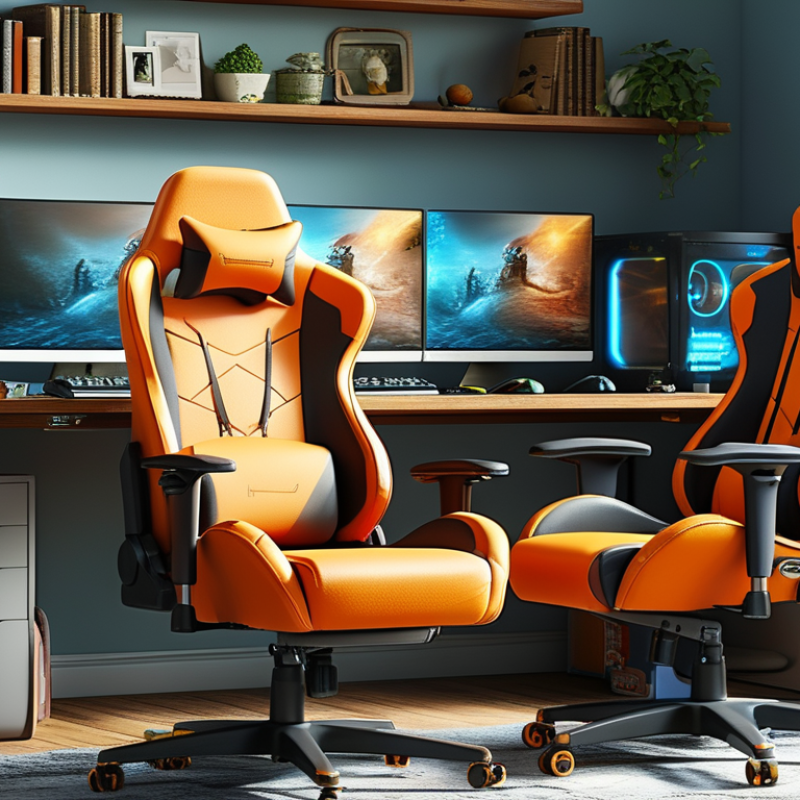
Maintaining proper posture while gaming is crucial for overall health and comfort. Many gamers spend hours sitting in front of screens. Poor posture can lead to discomfort and long-term health issues. A well-designed gaming chair, combined with mindful sitting practices, can enhance your gaming experience.
One important tip is to ensure your feet remain flat on the ground. This simple adjustment creates a stable base. Your knees should be at a right angle. Additionally, the backrest should support your lower back. You might need to adjust the chair height for this. Keep your shoulders relaxed and not hunched over. This position allows for better circulation and reduced strain on your muscles.
Remember to take regular breaks. Standing up and stretching are effective ways to combat stiffness. Try to incorporate short walks during gaming sessions. These habits can help reduce fatigue. Reflect on your posture after each session. Are there any adjustments you can make for comfort? Making small changes in how you sit every day can lead to significant improvements in your well-being.
Choosing the right gaming chair is essential for long hours of gameplay. A good chair provides the necessary support for your back and neck. Look for chairs with adjustable lumbar support. This feature offers personalized comfort by fitting the natural curve of your spine.
Another key element is seat height. Your feet should rest flat on the ground when sitting. If your feet dangle, consider a chair with adjustable height. It’s also helpful to have armrests that can be adjusted. They should support your arms relaxed without causing shoulder strain.
Finding the perfect fit requires some trial and error. Not every chair will suit your body type. Spend time testing different options. If a chair feels too firm, it may not be the right choice. Sometimes, discomfort comes from improper adjustments. Take the time to modify settings until it feels right for you. Prioritize comfort over aesthetics; your gaming experience will thank you.
When it comes to gaming chairs, proper adjustment is key for comfort and support. A report by the Cornell University Ergonomics Department highlights that 60% of gaming enthusiasts experience discomfort due to improper seating. This discomfort can lead to poor posture and even long-term pain. A well-fitted chair helps reduce these issues significantly.
Adjusting the height of the chair is crucial. Your feet should rest flat on the ground, promoting circulation and reducing strain on your legs. In addition, the backrest needs to be positioned to support the natural curve of your spine. The American Chiropractic Association emphasizes that maintaining natural spinal alignment can decrease back pain by up to 30%.
Furthermore, armrests should be set to a height that allows your shoulders to relax. Avoid raising or lowering them excessively, which may create tension. Simple adjustments like these require consistent effort but can greatly enhance your gaming experience. Little details matter, and neglecting them can lead to discomfort and decreased focus during long sessions.
Sitting correctly in a gaming chair can enhance your overall experience. It begins with positioning your feet. Your feet should rest flat on the floor or on a footrest. This promotes better circulation and reduces leg fatigue. Research indicates that poor foot positioning can lead to discomfort within just two hours of play.
Your back needs proper support. Leaning too far back or slouching can strain your spine. Aim for a 90 to 100-degree angle between your thighs and torso. This maintains spinal curvature. Studies show that maintaining this posture can reduce the risk of back injuries by up to 40%. Ensure the lumbar support fits snugly into the natural curve of your lower back.
Arm position also plays a critical role. Your elbows should be at a 90-degree angle, with your hands resting on the controls comfortably. If your arms are extended or too low, it can lead to shoulder pain over time. Staying aware of these small details can significantly improve your gaming sessions. Overlooking them could lead to discomfort and potential long-term issues. Regular checks on posture are essential to ensure optimal performance and comfort.
| Tip | Description | Benefits |
|---|---|---|
| Adjust Chair Height | Set the chair height to ensure your feet are flat on the floor. | Reduces strain on legs and promotes blood circulation. |
| Maintain Back Support | Use the lower back support feature on your chair to support your lumbar region. | Helps prevent back pain during long gaming sessions. |
| Position Your Arms | Keep your elbows at a 90-degree angle when using the controller or mouse. | Supports comfortable arm positioning and reduces wrist strain. |
| Feet Placement | Ensure feet are flat and positioned comfortably under the desk. | Prevents leg fatigue and helps maintain focus while gaming. |
| Take Regular Breaks | Stand up and stretch every hour to improve circulation. | Reduces muscle stiffness and helps maintain overall health. |
When spending hours in a gaming chair, comfort is key. It’s vital to incorporate breaks and stretches. This can help prevent discomfort and fatigue during long sessions. Stand up, walk around, or do some simple stretches to refresh your body. Stretching your arms, back, and legs improves blood flow.
Consider setting a timer to remind yourself to take breaks. Every hour, step away for five minutes. Use this time to hydrate and reset. During your break, try light stretches like neck rolls or wrist flexes. These movements can relieve tension and enhance focus when you return to your game.
Creating a comfortable environment matters. Adjust your chair height so your feet rest flat. Keep your screen at eye level to reduce neck strain. While gaming, your posture should support your back. Small adjustments can lead to significant improvements. Remember, it's okay if you don't feel comfortable right away. Listen to your body and make changes as needed.
: Proper adjustment improves comfort and support, reducing discomfort and the risk of long-term pain.
Your feet should rest flat on the ground or a footrest to enhance circulation and reduce fatigue.
Aim for a 90 to 100-degree angle to maintain spinal curvature and reduce injury risk.
Set armrests to a height that allows your shoulders to relax, avoiding excessive adjustments that cause tension.
It's best to take a break every hour for five minutes to refresh your body and improve focus.
Simple stretches like neck rolls and wrist flexes can relieve tension and improve blood flow.
Poor posture can lead to discomfort and potential long-term issues, affecting performance and enjoyment.
It's okay to make adjustments over time. Listen to your body and adapt as needed for better comfort.
Proper lumbar support fits the natural curve of your lower back, reducing strain and preventing discomfort.
Correct chair height ensures your feet rest flat, promoting better circulation and reducing leg strain.
In the article "5 Best Tips on How to Sit Properly in a Gaming Chair," the focus is on enhancing the gaming experience through proper posture. Understanding the significance of maintaining a good posture while gaming is crucial for avoiding discomfort and potential injuries. Selecting the right gaming chair that offers optimal comfort and support is the first step towards achieving this.
To sit properly in a gaming chair, it is important to adjust the chair according to your body dimensions and personal preferences. This includes ensuring that your feet are positioned flat on the ground, your back is supported, and your arms are at a comfortable height for gameplay. Additionally, incorporating regular breaks and stretches into your gaming routine can help maintain comfort during extended sessions. By following these guidelines, you can significantly improve your overall gaming experience and well-being.
Valet Chair